ONDA Wave's channel manager syncs room inventory, rates, and reservations across global OTAs in real time—so you stop double-booking and start managing everything in one place.
Hello,
This is ONDA,
building a better tomorrow for the hospitality industry :)
Following the official launch of
ONDA Wave on May 13th,
we've been walking you through
the initial setup process, rate plan configuration,
and how to create reservations—
everything you need to get started!
If you've been following along with our previous posts,
you're all set to use ONDA Wave~

But wait, there's more!
ONDA Wave isn't just a basic reservation management system—
it comes packed with powerful features
designed to make your life easier.
So starting today, we'll be walking you through
ONDA Wave's core capabilities,
one feature at a time—
quick, clear, and practical.
Today's spotlight?
ONDA Wave's first
essential feature:
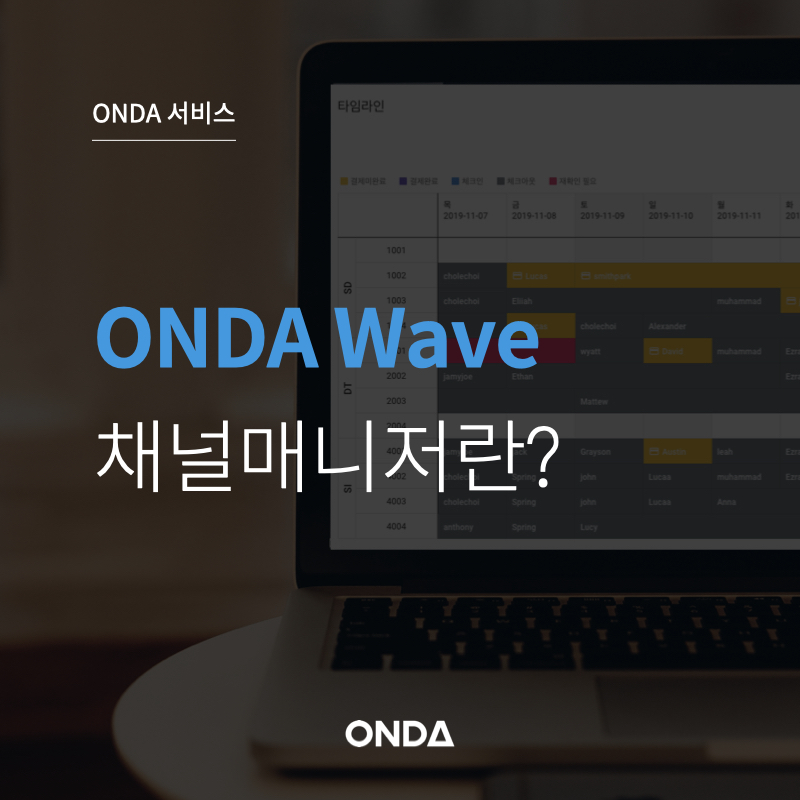
ONDA Wave Channel Manager
CMS (Channel Manager System)
:)
What exactly does a channel manager do?
"Channel Manager (CMS)"
If you run a property,
you've probably heard this term before.
And if international guests make up a big chunk of your bookings,
you're likely already curious about what it can do.
So let's clarify—
what exactly is a channel manager?
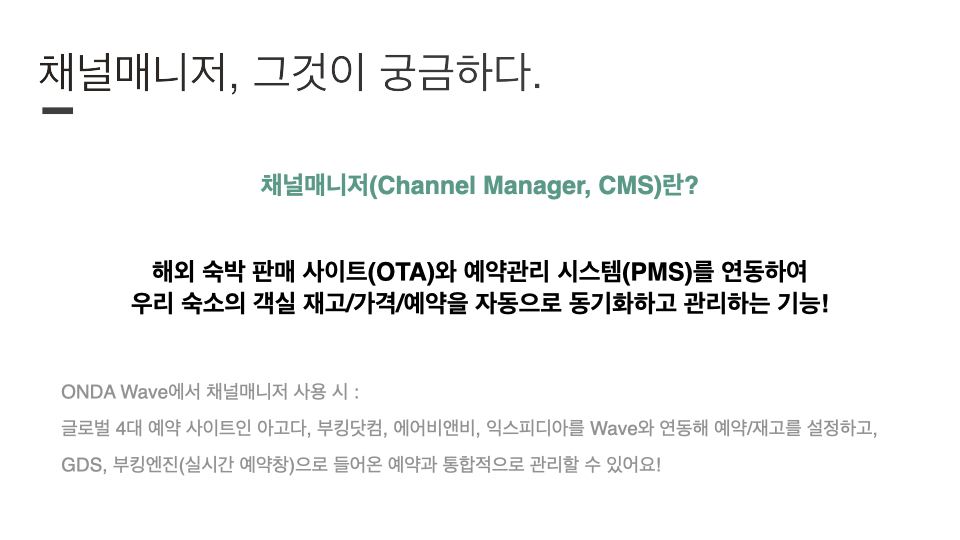
Channel Manager
(Channel Manager, CMS) is:
A tool that connects global OTAs
with your property management system (PMS)
to automatically sync and manage
room inventory, rates, and reservations!
In other words, it brings together bookings
from multiple platforms into one place
so you can manage everything seamlessly.
Because it connects with global OTAs,
it's especially useful for properties targeting international travelers—
or those operating abroad!
ONDA Wave also offers
channel manager functionality for exactly
this type of property operator :)
What does ONDA Wave's channel manager offer?
Before the official launch of ONDA Wave—
back in the beta version—
we supported integrations with Airbnb and Booking.com.
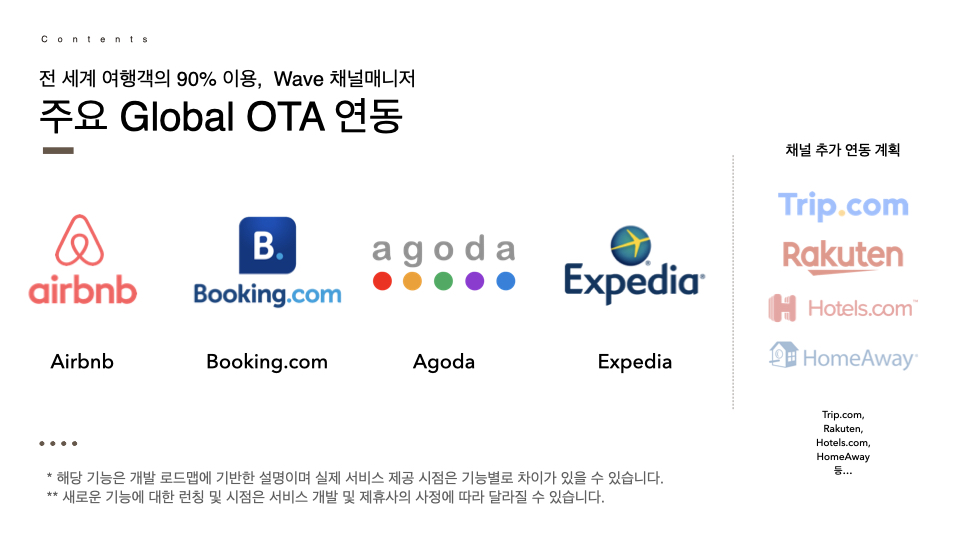
With this official release,
we've now integrated with the 4 major global OTAs
that together serve 90% of global travelers:
Airbnb, Booking.com, Agoda, Expedia
Our channel manager now syncs with all four!
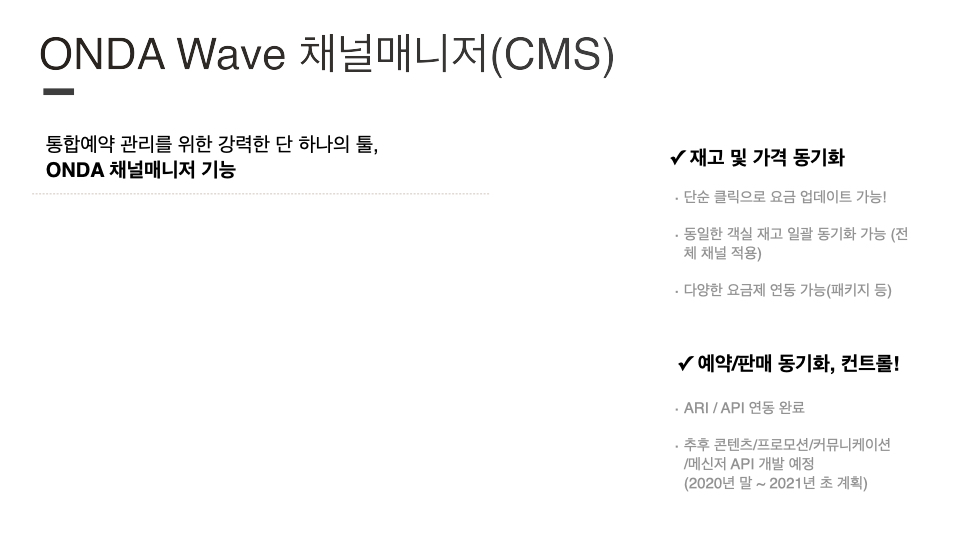
Beyond these four,
we're constantly listening to partner feedback—
and we'll keep adding more channels based on your requests.
We're also working on API development
so you'll soon be able to sync content, promotions,
and communications as well.
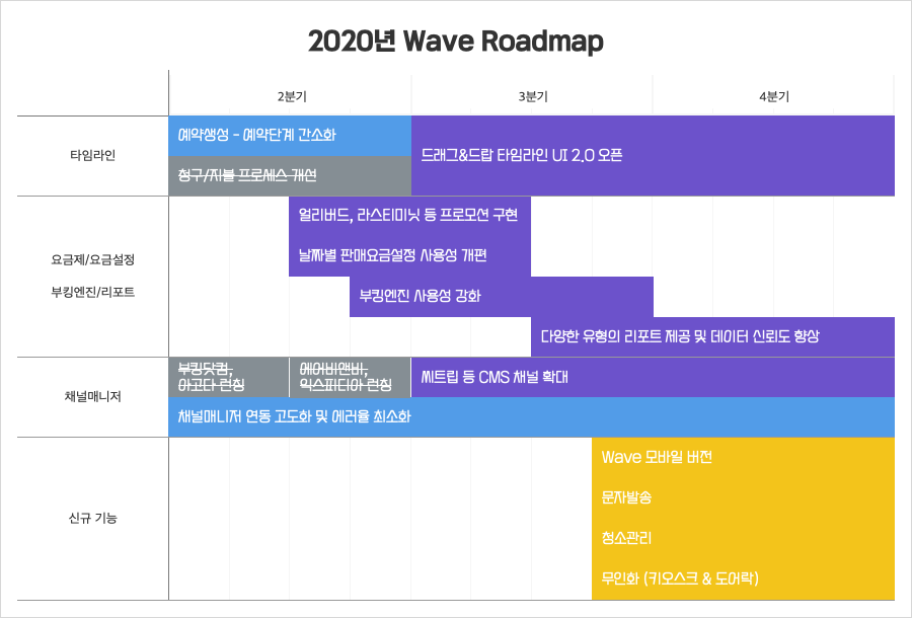
2020 ONDA Wave Development Roadmap (As of June 2020)
👆 Here's a quick look at the 2020 ONDA Wave roadmap.
Stay tuned for what's coming next :)
So how do you actually connect
ONDA Wave's channel manager
with these four global OTAs?
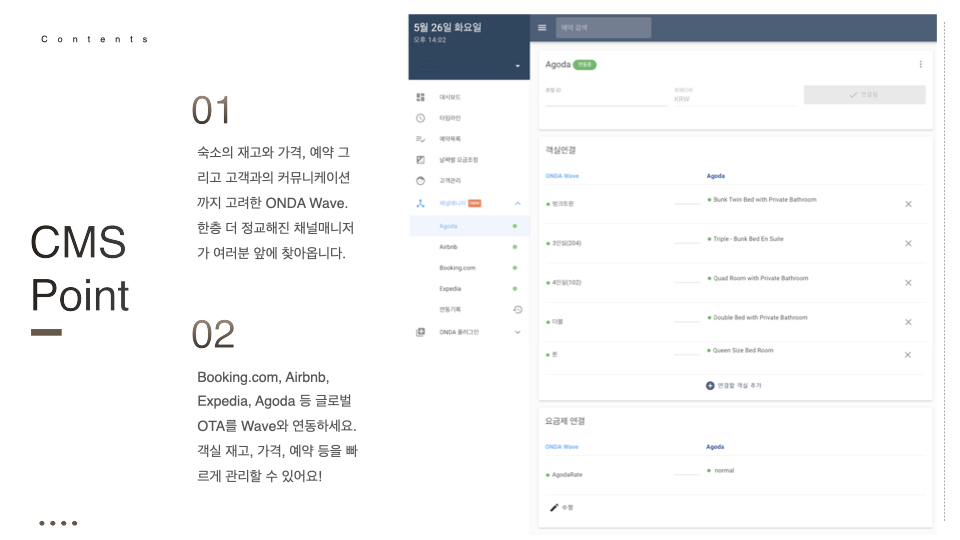
First,
map your OTA room types and rate plans
to ONDA Wave
to automatically sync incoming reservations.
No more logging into each booking site,
manually checking reservations,
and entering them one by one into your PMS.
That's over.
Inventory for the same room
is synced across all channels automatically.
That means inventory updates in real time—
and naturally, you avoid overbookings.
Even reservations that come in at 3 a.m.? No sweat :)
And updating rates?
Just a few clicks.
If you've already set up multiple rate packages
following our [Rate Plan Setup] guide,
you can connect those packages too!
Quickly and easily switch
to the right rate plan for the season—
and welcome more guests with the right pricing!

With ONDA Wave,
you can manage inventory, pricing, and reservations
all in one place—fast.
And if you're also using
integrated Global Distribution Systems (GDS)
or a booking engine (direct booking widget),
reservations from those channels
are unified in the same system too—
making operations even smoother. 😉
🖐 Wait a second!
We know this is a common question among our partners:
What's the difference between
a Channel Manager (CMS) and GDS (distribution)?
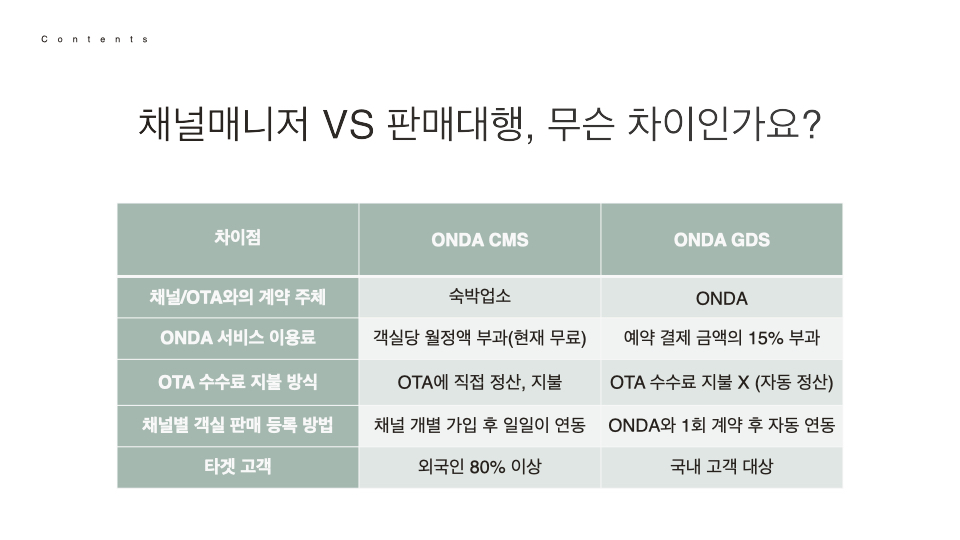
ONDA's channel manager and GDS services
both connect your property to sales channels,
but they differ in fees, commission structures, and use cases!
👆 Check the table above
and consider your property type, target guests,
and how you want to list and sell rooms—
then choose the service that fits your needs best :)
Let's take a tour of ONDA Wave's channel manager!
So how does the ONDA Wave
channel manager actually look and work?
Let's take a quick peek.
After logging into ONDA Wave,
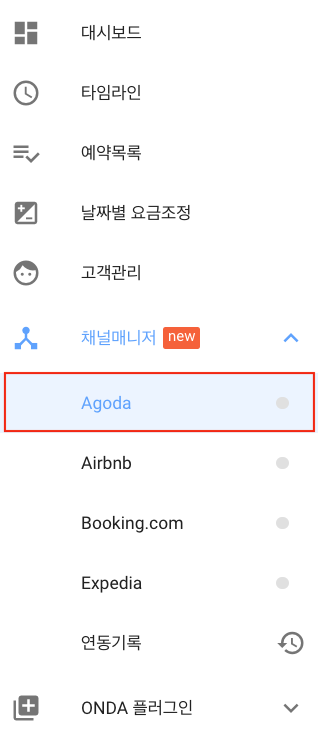
click [Channel Manager]
in the left-hand menu.
When you do, you'll see
Agoda, Airbnb, Booking.com, Expedia
listed under the ∨ dropdown.
*Once you complete the connection
between your property and each channel,
the ● icon next to the channel name
will turn from gray to green!
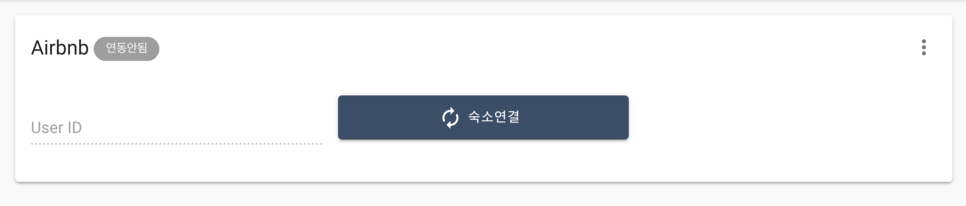
Click on any of the four OTAs
you'd like to integrate,
and you'll initially see
Not Connected, right?
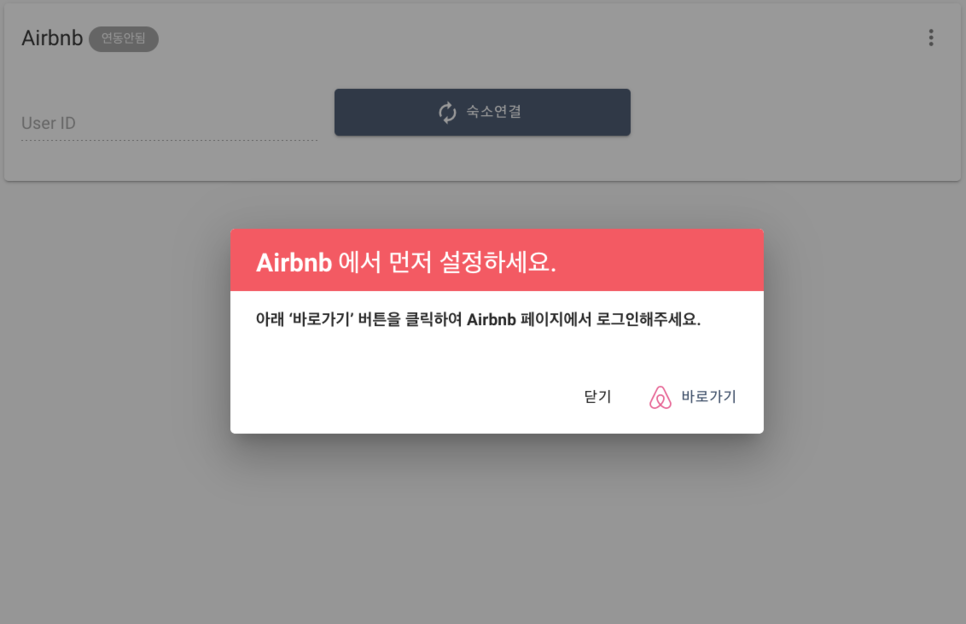
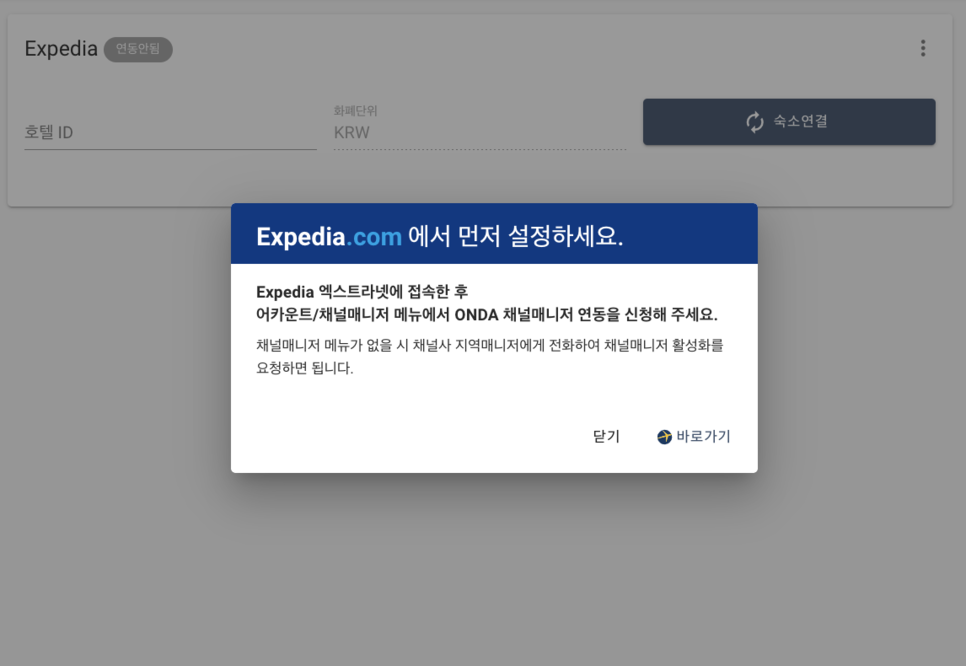
When you click [Connect Property],
you'll see a message that says:
'Please configure this on the channel (OTA) first.'
Each OTA has its own connection process,
so be sure to check out
the detailed integration guide below—
it walks you through everything from prep to setup! :)
▼ Check the integration guide for each channel
>>Channel Manager Integration Guide
Let's assume you've completed the integration.
Here's an example status screen
from a property currently connected via ONDA's channel manager:
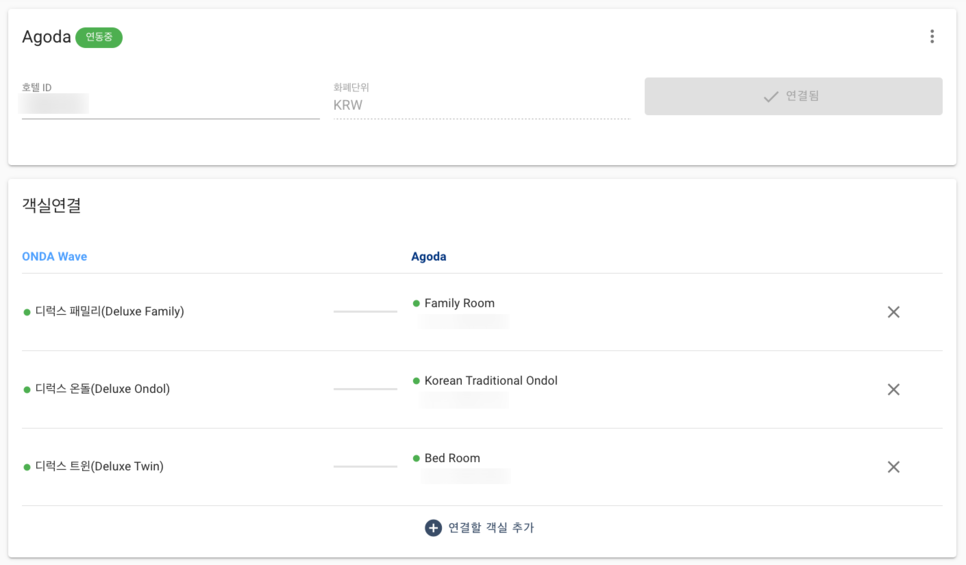
This shows room types registered in ONDA Wave
mapped to the corresponding OTA (e.g., Agoda).
Room mapping enables automatic
reservation syncing!
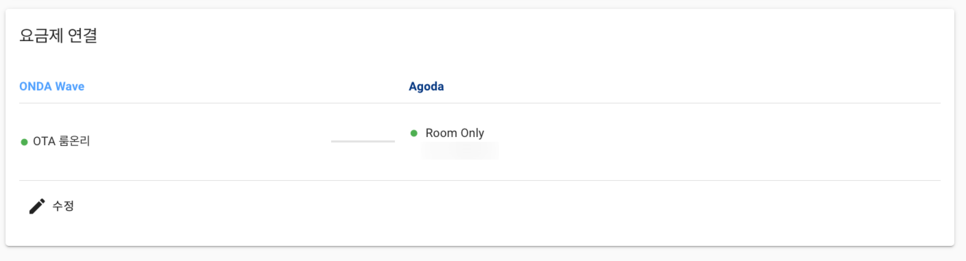
Just below that,
you'll see Rate Plan Mapping.
Click the [Edit] button in the lower left,
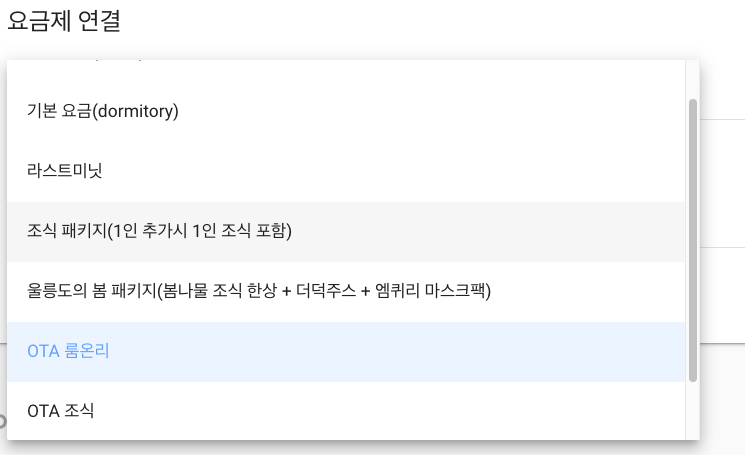
and choose from your rate plans
which one you'd like to connect and sell
through this channel :)
*The rate plans in this list
are custom packages you've set up
based on your specific needs!
💁♀️So there you have it—
connect your property to global OTAs,
map room types and rate plans,
and enjoy automatic inventory sync
across all your channels.
Simple as that.
ONDA Channel Manager User Reviews
Finally,
if you visit the ONDA homepage,
you'll find reviews from our valued partners
who use ONDA every day.
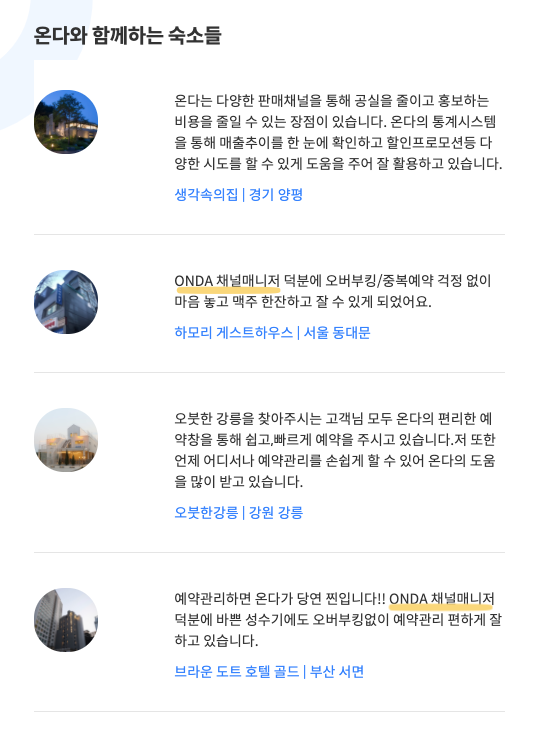
A.k.a., properties thriving with ONDA!
"Thanks to ONDA's channel manager, I can finally have a beer and sleep soundly without worrying about overbookings."
"When it comes to reservation management, ONDA is the real deal! Even during peak season, the channel manager keeps everything organized—no overbookings, no stress."
As our partners' reviews show,
ONDA's channel manager just works.
Say goodbye to overbookings for good :)
And that's a wrap on
ONDA Wave's Channel Manager feature.
Next time, we'll be back
with another core ONDA Wave feature!!
Thanks for sticking with us
through today's deep dive :)
▼ Want to learn more about ONDA Wave?
Building a better tomorrow for the hospitality industry.
ONDA — Integrated Hospitality Management
⚠️ All rights reserved. Cite this piece as 'ONDA (온다)' when quoting.